

This is a critical reading of Facebook founder Mark Zuckerberg’s article in the WSJ on Thursday, also entitled The Facts About Facebook.
Yes Mark, you’re right; Facebook turns 15 next month. What a long time you’ve been in the social media business! We’re curious as to whether you’ve also been keeping count of how many times you’ve been forced to apologize for breaching people’s trust or, well, otherwise royally messing up over the years.
It’s also true you weren’t setting out to build “a global company”. The predecessor to Facebook was a ‘hot or not’ game called ‘FaceMash’ that you hacked together while drinking beer in your Harvard dormroom. Your late night brainwave was to get fellow students to rate each others’ attractiveness — and you weren’t at all put off by not being in possession of the necessary photo data to do this. You just took it; hacking into the college’s online facebooks and grabbing people’s selfies without permission.
Blogging about what you were doing as you did it, you wrote: “I almost want to put some of these faces next to pictures of some farm animals and have people vote on which is more attractive.” Just in case there was any doubt as to the ugly nature of your intention.
The seeds of Facebook’s global business were thus sown in a crude and consentless game of clickbait whose idea titillated you so much you thought nothing of breaching security, privacy, copyright and decency norms just to grab a few eyeballs.
So while you may not have instantly understood how potent this ‘outrageous and divisive’ eyeball-grabbing content tactic would turn out to be — oh hai future global scale! — the core DNA of Facebook’s business sits in that frat boy discovery where your eureka Internet moment was finding you could win the attention jackpot by pitting people against each other.
Pretty quickly you also realized you could exploit and commercialize human one-upmanship — gotta catch em all friend lists! popularity poke wars! — and stick a badge on the resulting activity, dubbing it ‘social’.
FaceMash was antisocial, though. And the unpleasant flipside that can clearly flow from ‘social’ platforms is something you continue not being nearly honest nor open enough about. Whether it’s political disinformation, hate speech or bullying, the individual and societal impacts of maliciously minded content shared and amplified using massively mainstream tools you control is now impossible to ignore.
Yet you prefer to play down these human impacts; as a “crazy idea”, or by implying that ‘a little’ amplified human nastiness is the necessary cost of being in the big multinational business of connecting everyone and ‘socializing’ everything.
But did you ask the father of 14-year-old Molly Russell, a British schoolgirl who took her own life in 2017, whether he’s okay with your growth vs controls trade-off? “I have no doubt that Instagram helped kill my daughter,” said Russell in an interview with the BBC this week.
After her death, Molly’s parents found she had been following accounts on Instagram that were sharing graphic material related to self-harming and suicide, including some accounts that actively encourage people to cut themselves. “We didn’t know that anything like that could possibly exist on a platform like Instagram,” said Russell.
Without a human editor in the mix, your algorithmic recommendations are blind to risk and suffering. Built for global scale, they get on with the expansionist goal of maximizing clicks and views by serving more of the same sticky stuff. And more extreme versions of things users show an interest in to keep the eyeballs engaged.
So when you write about making services that “billions” of “people around the world love and use” forgive us for thinking that sounds horribly glib. The scales of suffering don’t sum like that. If your entertainment product has whipped up genocide anywhere in the world — as the UN said Facebook did in Myanmar — it’s failing regardless of the proportion of users who are having their time pleasantly wasted on and by Facebook.
And if your algorithms can’t incorporate basic checks and safeguards so they don’t accidentally encourage vulnerable teens to commit suicide you really don’t deserve to be in any consumer-facing business at all.
Yet your article shows no sign you’ve been reflecting on the kinds of human tragedies that don’t just play out on your platform but can be an emergent property of your targeting algorithms.
You focus instead on what you call “clear benefits to this business model”.
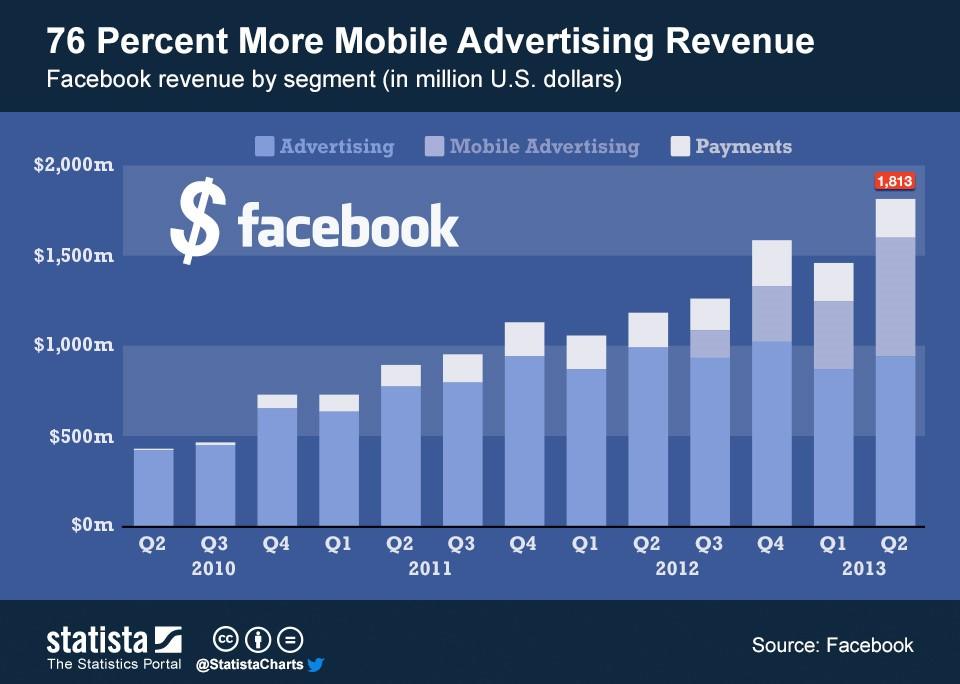
The benefits to Facebook’s business are certainly clear. You have the billions in quarterly revenue to stand that up. But what about the costs to the rest of us? Human costs are harder to quantify but you don’t even sound like you’re trying.
You do write that you’ve heard “many questions” about Facebook’s business model. Which is most certainly true but once again you’re playing down the level of political and societal concern about how your platform operates (and how you operate your platform) — deflecting and reframing what Facebook is to cast your ad business a form of quasi philanthropy; a comfortable discussion topic and self-serving idea you’d much prefer we were all sold on.
It’s also hard to shake the feeling that your phrasing at this point is intended as a bit of an in-joke for Facebook staffers — to smirk at the ‘dumb politicians’ who don’t even know how Facebook makes money.
Y’know, like you smirked…
Then you write that you want to explain how Facebook operates. But, thing is, you don’t explain — you distract, deflect, equivocate and mislead, which has been your business’ strategy through many months of scandal (that and worst tactics — such as paying a PR firm that used oppo research tactics to discredit Facebook critics with smears).
Dodging is another special power; such as how you dodged repeat requests from international parliamentarians to be held accountable for major data misuse and security breaches.
The Zuckerberg ‘open letter’ mansplain, which typically runs to thousands of blame-shifting words, is another standard issue production from the Facebook reputation crisis management toolbox.
And here you are again, ironically enough, mansplaining in a newspaper; an industry that your platform has worked keenly to gut and usurp, hungry to supplant editorially guided journalism with the moral vacuum of algorithmically geared space-filler which, left unchecked, has been shown, time and again, lifting divisive and damaging content into public view.
The latest Zuckerberg screed has nothing new to say. It’s pure spin. We’ve read scores of self-serving Facebook apologias over the years and can confirm Facebook’s founder has made a very tedious art of selling abject failure as some kind of heroic lack of perfection.
But the spin has been going on for far, far too long. Fifteen years, as you remind us. Yet given that hefty record it’s little wonder you’re moved to pen again — imagining that another word blast is all it’ll take for the silly politicians to fall in line.
Thing is, no one is asking Facebook for perfection, Mark. We’re looking for signs that you and your company have a moral compass. Because the opposite appears to be true. (Or as one UK parliamentarian put it to your CTO last year: “I remain to be convinced that your company has integrity”.)
Facebook has scaled to such an unprecedented, global size exactly because it has no editorial values. And you say again now you want to be all things to all men. Put another way that means there’s a moral vacuum sucking away at your platform’s core; a supermassive ethical blackhole that scales ad dollars by the billions because you won’t tie the kind of process knots necessary to treat humans like people, not pairs of eyeballs.
You don’t design against negative consequences or to pro-actively avoid terrible impacts — you let stuff happen and then send in the ‘trust & safety’ team once the damage has been done.
You might call designing against negative consequences a ‘growth bottleneck’; others would say it’s having a conscience.
Everything standing in the way of scaling Facebook’s usage is, under the Zuckerberg regime, collateral damage — hence the old mantra of ‘move fast and break things’ — whether it’s social cohesion, civic values or vulnerable individuals.
This is why it takes a celebrity defamation lawsuit to force your company to dribble a little more resource into doing something about scores of professional scammers paying you to pop their fraudulent schemes in a Facebook “ads” wrapper. (Albeit, you’re only taking some action in the UK in this particular case.)
Funnily enough — though it’s not at all funny and it doesn’t surprise us — Facebook is far slower and patchier when it comes to fixing things it broke.
Of course there will always be people who thrive with a digital megaphone like Facebook thrust in their hand. Scammers being a pertinent example. But the measure of a civilized society is how it protects those who can’t defend themselves from targeted attacks or scams because they lack the protective wrap of privilege. Which means people who aren’t famous. Not public figures like Martin Lewis, the consumer champion who has his own platform and enough financial resources to file a lawsuit to try to make Facebook do something about how its platform supercharges scammers.
Zuckerberg’s slippery call to ‘fight bad content with more content’ — or to fight Facebook-fuelled societal division by shifting even more of the apparatus of civic society onto Facebook — fails entirely to recognize this asymmetry.
And even in the Lewis case, Facebook remains a winner; Lewis dropped his suit and Facebook got to make a big show of signing over £500k worth of ad credit coupons to a consumer charity that will end up giving them right back to Facebook.
The company’s response to problems its platform creates is to look the other way until a trigger point of enough bad publicity gets reached. At which critical point it flips the usual crisis PR switch and sends in a few token clean up teams — who scrub a tiny proportion of terrible content; or take down a tiny number of fake accounts; or indeed make a few token and heavily publicized gestures — before leaning heavily on civil society (and on users) to take the real strain.
You might think Facebook reaching out to respected external institutions is a positive step. A sign of a maturing mindset and a shift towards taking greater responsibility for platform impacts. (And in the case of scam ads in the UK it’s donating £3M in cash and ad credits to a bona fide consumer advice charity.)
But this is still Facebook dumping problems of its making on an already under-resourced and over-worked civic sector at the same time as its platform supersizes their workload.
In recent years the company has also made a big show of getting involved with third party fact checking organizations across various markets — using these independents to stencil in a PR strategy for ‘fighting fake news’ that also entails Facebook offloading the lion’s share of the work. (It’s not paying fact checkers anything, given the clear conflict that would represent it obviously can’t).
So again external organizations are being looped into Facebook’s mess — in this case to try to drain the swamp of fakes being fenced and amplified on its platform — even as the scale of the task remains hopeless, and all sorts of junk continues to flood into and pollute the public sphere.
What’s clear is that none of these organizations has the scale or the resources to fix problems Facebook’s platform creates. Yet it serves Facebook’s purposes to be able to point to them trying.
And all the while Zuckerberg is hard at work fighting to fend off regulation that could force his company to take far more care and spend far more of its own resources (and profits) monitoring the content it monetizes by putting it in front of eyeballs.
The Facebook founder is fighting because he knows his platform is a targeted attack; On individual attention, via privacy-hostile behaviorally targeted ads (his euphemism for this is “relevant ads”); on social cohesion, via divisive algorithms that drive outrage in order to maximize platform engagement; and on democratic institutions and norms, by systematically eroding consensus and the potential for compromise between the different groups that every society is comprised of.
In his WSJ post Zuckerberg can only claim Facebook doesn’t “leave harmful or divisive content up”. He has no defence against Facebook having put it up and enabled it to spread in the first place.
Sociopaths relish having a soapbox so unsurprisingly these people find a wonderful home on Facebook. But where does empathy fit into the antisocial media equation?
As for Facebook being a ‘free’ service — a point Zuckerberg is most keen to impress in his WSJ post — it’s of course a cliché to point out that ‘if it’s free you’re the product’. (Or as the even older saying goes: ‘There’s no such thing as a free lunch’).
But for the avoidance of doubt, “free” access does not mean cost-free access. And in Facebook’s case the cost is both individual (to your attention and your privacy); and collective (to the public’s attention and to social cohesion).
The much bigger question is who actually benefits if “everyone” is on Facebook, as Zuckerberg would prefer. Facebook isn’t the Internet. Facebook doesn’t offer the sole means of communication, digital or otherwise. People can, and do, ‘connect’ (if you want to use such a transactional word for human relations) just fine without Facebook.
So beware the hard and self-serving sell in which Facebook’s 15-year founder seeks yet again to recast privacy as an unaffordable luxury.
Actually, Mark, it’s a fundamental human right.
The best argument Zuckerberg can muster for his goal of universal Facebook usage being good for anything other than his own business’ bottom line is to suggest small businesses could use that kind of absolute reach to drive extra growth of their own.
Though he only provides a few general data-points to support the claim; saying there are “more than 90M small businesses on Facebook” which “make up a large part of our business” (how large?) — and claiming “most” (51%?) couldn’t afford TV ads or billboards (might they be able to afford other online or newspaper ads though?); he also cites a “global survey” (how many businesses surveyed?), presumably run by Facebook itself, which he says found “half the businesses on Facebook say they’ve hired more people since they joined” (but how did you ask the question, Mark?; we’re concerned it might have been rather leading), and from there he leaps to the implied conclusion that “millions” of jobs have essentially been created by Facebook.
But did you control for common causes Mark? Or are you just trying to take credit for others’ hard work because, well, it’s politically advantageous for you to do so?
Whether Facebook’s claims about being great for small business stand up to scrutiny or not, if people’s fundamental rights are being wholesale flipped for SMEs to make a few extra bucks that’s an unacceptable trade off.
“Millions” of jobs suggestively linked to Facebook sure sounds great — but you can’t and shouldn’t overlook disproportionate individual and societal costs, as Zuckerberg is urging policymakers to here.
Let’s also not forget that some of the small business ‘jobs’ that Facebook’s platform can take definitive and major credit for creating include the Macedonia teens who became hyper-adept at seeding Facebook with fake U.S. political news, around the 2016 presidential election. But presumably those aren’t the kind of jobs Zuckerberg is advocating for.
He also repeats the spurious claim that Facebook gives users “complete control” over what it does with personal information collected for advertising.
We’ve heard this time and time again from Zuckerberg and yet it remains pure BS.
WASHINGTON, DC – APRIL 10: Facebook co-founder, Chairman and CEO Mark Zuckerberg concludes his testimony before a combined Senate Judiciary and Commerce committee hearing in the Hart Senate Office Building on Capitol Hill April 10, 2018 in Washington, DC. Zuckerberg, 33, was called to testify after it was reported that 87 million Facebook users had their personal information harvested by Cambridge Analytica, a British political consulting firm linked to the Trump campaign. (Photo by Win McNamee/Getty Images)
Yo Mark! First up we’re still waiting for your much trumpeted ‘Clear History’ tool. You know, the one you claimed you thought of under questioning in Congress last year (and later used to fend off follow up questions in the European Parliament).
Reportedly the tool is due this Spring. But even when it does finally drop it represents another classic piece of gaslighting by Facebook, given how it seeks to normalize (and so enable) the platform’s pervasive abuse of its users’ data.
Truth is, there is no master ‘off’ switch for Facebook’s ongoing surveillance. Such a switch — were it to exist — would represent a genuine control for users. But Zuckerberg isn’t offering it.
Instead his company continues to groom users into accepting being creeped on by offering pantomime settings that boil down to little more than privacy theatre — if they even realize they’re there.
‘Hit the button! Reset cookies! Delete browsing history! Keep playing Facebook!’
An interstitial reset is clearly also a dilute decoy. It’s not the same as being able to erase all extracted insights Facebook’s infrastructure continuously mines from users, using these derivatives to target people with behavioral ads; tracking and profiling on an ongoing basis by creeping on browsing activity (on and off Facebook), and also by buying third party data on its users from brokers.
Multiple signals and inferences are used to flesh out individual ad profiles on an ongoing basis, meaning the files are never static. And there’s simply no way to tell Facebook to burn your digital ad mannequin. Not even if you delete your Facebook account.
Nor, indeed, is there a way to get a complete read out from Facebook on all the data it’s attached to your identity. Even in Europe, where companies are subject to strict privacy laws that place a legal requirement on data controllers to disclose all personal data they hold on a person on request, as well as who they’re sharing it with, for what purposes, under what legal grounds.
Last year Paul-Olivier Dehaye, the founder of PersonalData.IO, a non-profit that aims to help people control how their personal data is accessed by companies, recounted in the UK parliament how he’d spent years trying to obtain all his personal information from Facebook — with the company resorting to legal arguments to block his subject access request.
Dehaye said he had succeeded in extracting a bit more of his data from Facebook than it initially handed over. But it was still just a “snapshot”, not an exhaustive list, of all the advertisers who Facebook had shared his data with. This glimpsed tip implies a staggeringly massive personal data iceberg lurking beneath the surface of each and every one of the 2.2BN+ Facebook users. (Though the figure is likely even more massive because it tracks non-users too.)
Zuckerberg’s “complete control” wording is therefore at best self-serving and at worst an outright lie. Facebook’s business has complete control of users by offering only a superficial layer of confusing and fiddly, ever-shifting controls that demand continued presence on the platform to use them, and ongoing effort to keep on top of settings changes (which are always, to a fault, privacy hostile), making managing your personal data a life-long chore.
Facebook’s power dynamic puts the onus squarely on the user to keep finding and hitting reset button.
But this too is a distraction. Resetting anything on its platform is largely futile, given Facebook retains whatever behavioral insights it already stripped off of your data (and fed to its profiling machinery). And its omnipresent background snooping carries on unchecked, amassing fresh insights you also can’t clear.
Nor does Clear History offer any control for the non-users Facebook tracks via the pixels and social plug-ins it’s larded around the mainstream web. Zuckerberg was asked about so-called shadow profiles in Congress last year — which led to this awkward exchange where he claimed not to know what the phrase refers to.
EU MEPs also seized on the issue, pushing him to respond. He did so by attempting to conflate surveillance and security — by claiming it’s necessary for Facebook to hold this data to keep “bad content out”. Which seems a bit of an ill-advised argument to make given how badly that mission is generally going for Facebook.
Still, Zuckerberg repeats the claim in the WSJ post, saying information collected for ads is “generally important for security and operating our services” — using this to address what he couches as “the important question of whether the advertising model encourages companies like ours to use and store more information than we otherwise would”.
So, essentially, Facebook’s founder is saying that the price for Facebook’s existence is pervasive surveillance of everyone, everywhere, with or without your permission.
Though he doesn’t express that ‘fact’ as a cost of his “free” platform. RIP privacy indeed.
Another pertinent example of Zuckerberg simply not telling the truth when he wrongly claims Facebook users can control their information vis-a-vis his ad business — an example which also happens to underline how pernicious his attempts to use “security” to justify eroding privacy really are — bubbled into view last fall, when Facebook finally confessed that mobile phone numbers users had provided for the specific purpose of enabling two-factor authentication (2FA) to increase the security of their accounts were also used by Facebook for ad targeting.
A company spokesperson told us that if a user wanted to opt out of the ad-based repurposing of their mobile phone data they could use non-phone number based 2FA — though Facebook only added the ability to use an app for 2FA in May last year.
What Facebook is doing on the security front is especially disingenuous BS in that it risks undermining security practice by bundling a respected tool (2FA) with ads that creep on people.
And there’s plenty more of this kind of disingenuous nonsense in Zuckerberg’s WSJ post — where he repeats a claim we first heard him utter last May, at a conference in Paris, when he suggested that following changes made to Facebook’s consent flow, ahead of updated privacy rules coming into force in Europe, the fact European users had (mostly) swallowed the new terms, rather than deleting their accounts en masse, was a sign people were majority approving of “more relevant” (i.e more creepy) Facebook ads.
Au contraire, it shows nothing of the sort. It simply underlines the fact Facebook still does not offer users a free and fair choice when it comes to consenting to their personal data being processed for behaviorally targeted ads — despite free choice being a requirement under Europe’s General Data Protection Regulation (GDPR).
If Facebook users are forced to ‘choose’ between being creeped on or deleting their account on the dominant social service where all their friends are it’s hardly a free choice. (And GDPR complaints have been filed over this exact issue of ‘forced consent‘.)
Add to that, as we said at the time, Facebook’s GDPR tweaks were lousy with manipulative, dark pattern design. So again the company is leaning on users to get the outcomes it wants.
It’s not a fair fight, any which way you look at it. But here we have Zuckerberg, the BS salesman, trying to claim his platform’s ongoing manipulation of people already enmeshed in the network is evidence for people wanting creepy ads.
The truth is that most Facebook users remain unaware of how extensively the company creeps on them (per this recent Pew research). And fiddly controls are of course even harder to get a handle on if you’re sitting in the dark.
Zuckerberg appears to concede a little ground on the transparency and control point when he writes that: “Ultimately, I believe the most important principles around data are transparency, choice and control.” But all the privacy-hostile choices he’s made; and the faux controls he’s offered; and the data mountain he simply won’t ‘fess up to sitting on shows, beyond reasonable doubt, the company cannot and will not self-regulate.
If Facebook is allowed to continue setting its own parameters and choosing its own definitions (for “transparency, choice and control”) users won’t have even one of the three principles, let alone the full house, as well they should. Facebook will just keep moving the goalposts and marking its own homework.
You can see this in the way Zuckerberg fuzzes and elides what his company really does with people’s data; and how he muddies and muddles uses for the data — such as by saying he doesn’t know what shadow profiles are; or claiming users can download ‘all their data’; or that ad profiles are somehow essential for security; or by repurposing 2FA digits to personalize ads too.
How do you try to prevent the purpose limitation principle being applied to regulate your surveillance-reliant big data ad business? Why by mixing the data streams of course! And then trying to sew confusion among regulators and policymakers by forcing them to unpick your mess.
Much like Facebook is forcing civic society to clean up its messy antisocial impacts.
Europe’s GDPR is focusing the conversation, though, and targeted complaints filed under the bloc’s new privacy regime have shown they can have teeth and so bite back against rights incursions.
But before we put another self-serving Zuckerberg screed to rest, let’s take a final look at his description of how Facebook’s ad business works. Because this is also seriously misleading. And cuts to the very heart of the “transparency, choice and control” issue he’s quite right is central to the personal data debate. (He just wants to get to define what each of those words means.)
In the article, Zuckerberg claims “people consistently tell us that if they’re going to see ads, they want them to be relevant”. But who are these “people” of which he speaks? If he’s referring to the aforementioned European Facebook users, who accepted updated terms with the same horribly creepy ads because he didn’t offer them any alternative, we would suggest that’s not a very affirmative signal.
Now if it were true that a generic group of ‘Internet people’ were consistently saying anything about online ads the loudest message would most likely be that they don’t like them. Click through rates are fantastically small. And hence also lots of people using ad blocking tools. (Growth in usage of ad blockers has also occurred in parallel with the increasing incursions of the adtech industrial surveillance complex.)
So Zuckerberg’s logical leap to claim users of free services want to be shown only the most creepy ads is really a very odd one.
Let’s now turn to Zuckerberg’s use of the word “relevant”. As we noted above, this is a euphemism. It conflates many concepts but principally it’s used by Facebook as a cloak to shield and obscure the reality of what it’s actually doing (i.e. privacy-hostile people profiling to power intrusive, behaviourally microtargeted ads) in order to avoid scrutiny of exactly those creepy and intrusive Facebook practices.
Yet the real sleight of hand is how Zuckerberg glosses over the fact that ads can be relevant without being creepy. Because ads can be contextual. They don’t have to be behaviorally targeted.
Ads can be based on — for example — a real-time search/action plus a user’s general location. Without needing to operate a vast, all-pervasive privacy-busting tracking infrastructure to feed open-ended surveillance dossiers on what everyone does online, as Facebook chooses to.
And here Zuckerberg gets really disingenuous because he uses a benign-sounding example of a contextual ad (the example he chooses contains an interest and a general location) to gloss over a detail-light explanation of how Facebook’s people tracking and profiling apparatus works.
“Based on what pages people like, what they click on, and other signals, we create categories — for example, people who like pages about gardening and live in Spain — and then charge advertisers to show ads to that category,” he writes, with that slipped in reference to “other signals” doing some careful shielding work there.
Other categories that Facebook’s algorithms have been found ready and willing to accept payment to run ads against in recent years include “jew-hater”, “How to burn Jews” and “Hitler did nothing wrong”.
Funnily enough Zuckerberg doesn’t mention those actual Facebook microtargeting categories in his glossy explainer of how its “relevant” ads business works. But they offer a far truer glimpse of the kinds of labels Facebook’s business sticks on people.
As we wrote last week, the case against behavioral ads is stacking up. Zuckerberg’s attempt to spin the same self-serving lines should really fool no one at this point.
Simply put, adtech doesn’t have to be creepy to work. And ads that don’t creep on people would give publishers greater ammunition to sell ad block using readers on whitelisting their websites. A new generation of people-sensitive startups are also busy working on new forms of ad targeting that bake in privacy by design.
And with legal and regulatory risk rising, intrusive and creepy adtech that demands the equivalent of ongoing strip searches of every Internet user on the planet really look to be on borrowed time.
Facebook’s problem is it scrambled for big data and, finding it easy to suck up tonnes of the personal stuff on the unregulated Internet, built an antisocial surveillance business that needs to capture both sides of its market — eyeballs and advertisers — and keep them buying to an exploitative and even abusive relationship for its business to keep minting money.
Pivoting that tanker would certainly be tough, and in any case who’d trust a Zuckerberg who suddenly proclaimed himself the privacy messiah?
But it sure is a long way from ‘move fast and break things’ to trying to claim there’s only one business model to rule them all.











































 ATI Blogs